How it works

From your bio to your wallet.

Set up your page in a minute, share one link, and let fans send you gifts with Mobile Money. Here is every step, for you and for your fans.

For creators, in four steps

Most creators are live in under two minutes.

1

Create your page

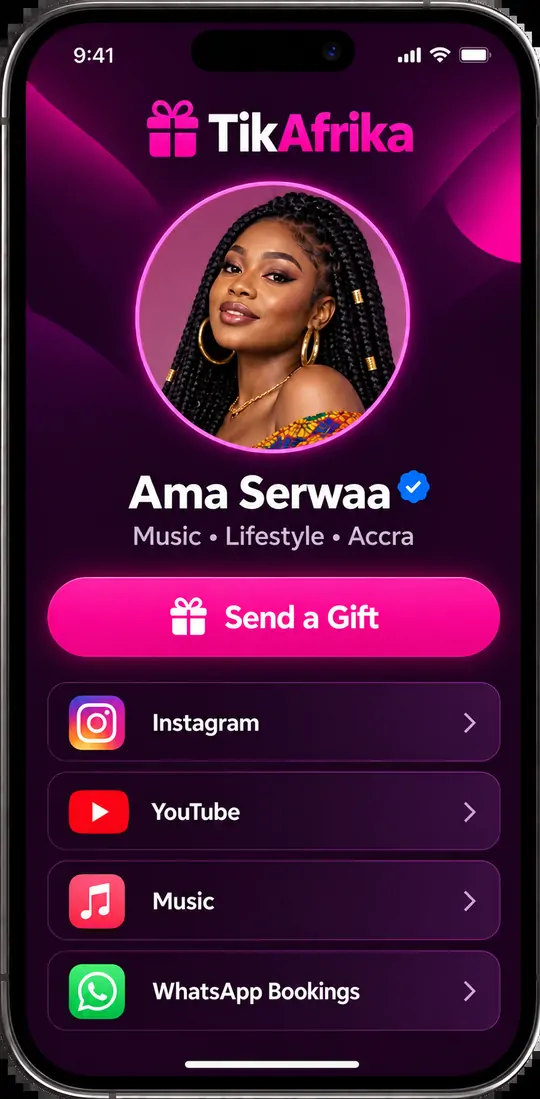
Sign up with your name and email, and choose your link name. Your page goes live straight away.

  • Your own link like tikafrika.com/ama
  • Add your photo, bio and colours
  • Free to set up, no monthly plan
A creator's TikAfrika page with a Send a Gift button and links
2

Share your link

Put your TikAfrika link in your TikTok bio. Say it on your LIVEs and pin it in the comments so fans can find it fast.

  • Works in TikTok, Instagram and WhatsApp
  • Opens inside the app, so fans never leave
  • Add your other links to the same page
3

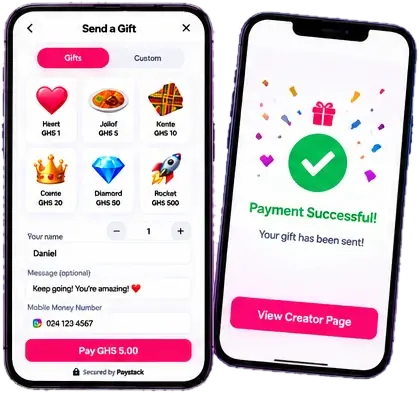
Fans send you gifts

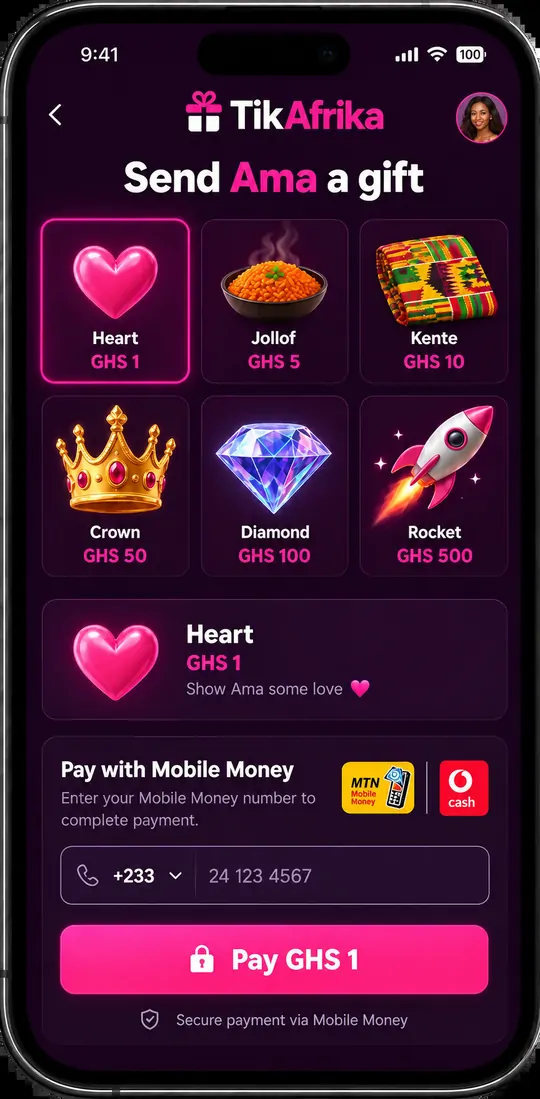
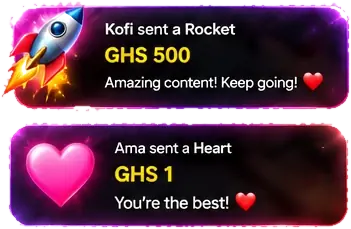
Fans tap Send a Gift, pick a gift and approve the Mobile Money prompt. If you're LIVE, the alert pops up on your stream.

  • Gifts from GHS 1
  • MTN MoMo, Telecel Cash, AT Money and cards
  • Name and message shown on your LIVE
The gift screen where a fan picks a gift and pays with Mobile Money
4

Cash out to Mobile Money

Your share of every gift lands in your TikAfrika wallet. Withdraw to your Mobile Money number whenever you're ready.

  • Minimum withdrawal: GHS 20.00
  • Usually paid within a day
  • A transaction ID for every payout

For fans, it takes seconds

Getting your favourite creator a gift is simple and fast.

  1. 1. Tap Send a Gift

    Tap the button on the creator's page, right inside TikTok.

  2. 2. Choose a gift

    Pick your favourite gift and how many to send.

  3. 3. Pay with Mobile Money

    Enter your number and approve the prompt with your PIN.

  4. 4. Enjoy the moment

    Your gift is sent and the creator sees your support instantly.

Gift alerts on your LIVE

If you stream with TikTok LIVE Studio or OBS, set this up once.

  1. Copy your overlay linkFind it under LIVE overlay in your dashboard. Keep it private.
  2. Add it as a browser sourceIn LIVE Studio or OBS, add a Link or Browser source and paste it.
  3. Send a test alertTap the test button and drag the alert where you want it.

Going LIVE straight from your phone? Overlays need a computer, but gifts still arrive and show in your dashboard.

Gift alerts reading: Kofi sent a Rocket, GHS 500, and Ama sent a Heart, GHS 1

What it costs

10% per giftThat's the only fee. Setting up and withdrawing are free.

Example: a GHS 10 gift

GHS 10.00Fan pays
GHS 9.00You receive
GHS 1.00TikAfrika fee

Ready to start receiving gifts?

Claim your link now. It takes about a minute.